
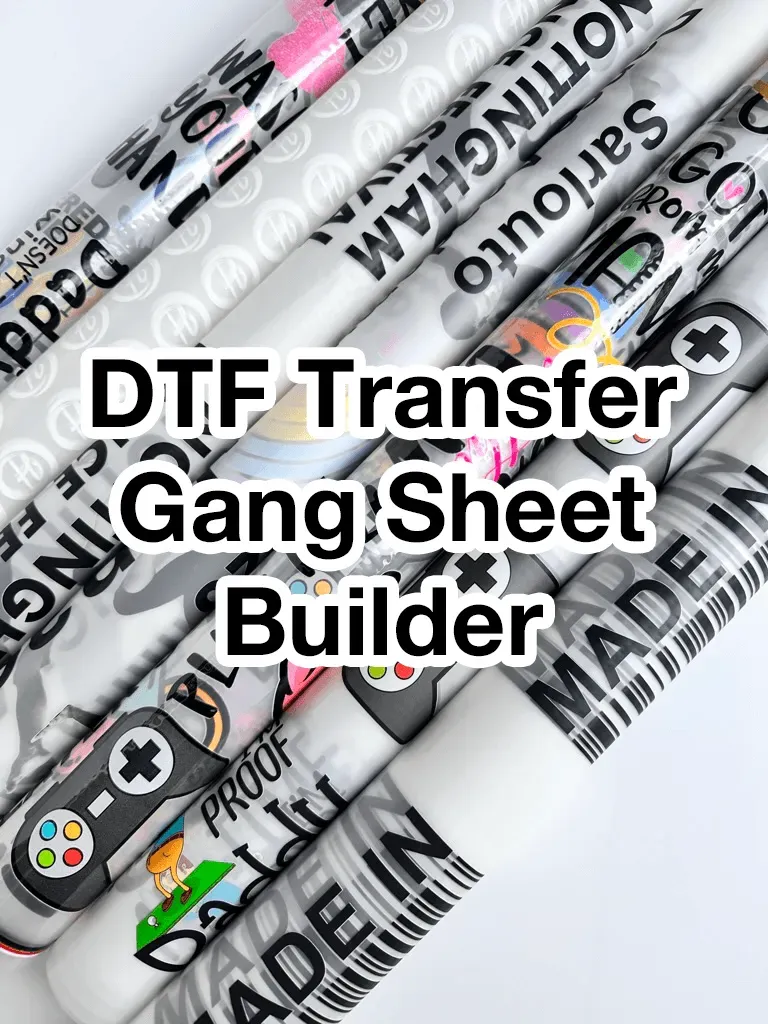
DTF Gangsheet Builder is transforming how shops approach transfers, offering a streamlined path to scalable DTF printing. By automatically tiling designs, it supports consistent production efficiency and a smoother DTF printing shop workflow across multiple jobs. This post compares it with traditional manual layout, highlighting how automation reduces waste and speeds up prep. You’ll see how the right choice affects throughput, accuracy, and cost across varying volumes. If color management and clear file organization matter to your team, these tools can help you deliver consistent results, faster.
In other terms, a gangsheet automation tool for transfer printing—also called a DTF gangsheet solution—organizes multiple designs onto a single sheet to maximize ink use. Think of it as template-driven layout automation that improves production efficiency and smooths the overall shop workflow. Compared with manual layout, this approach standardizes placement and color management, reducing setup time and human error. As shops scale, adopting this digital workflow can align teams around repeatable templates for faster, more reliable results.
DTF Gangsheet Builder: Boosting Production Efficiency and Consistency
DTF printing has transformed apparel customization by delivering vibrant transfers quickly. A DTF Gangsheet Builder takes this a step further by automatically tiling artwork, aligning color separations, and managing bleed and margins, which dramatically reduces the manual steps required before pressing.
By standardizing sheet layout, shops can achieve more predictable production schedules and a smoother handoff between design and press. This consistency translates directly into higher production efficiency, fewer errors, and a cleaner shop workflow, especially when handling large or repeating orders.
DTF Printing and Automation: Reducing Waste with Smart Gangsheet Layout
DTF printing benefits from intelligent layout that minimizes waste. A smart gangsheet layout automatically analyzes artwork and space, reducing unused margins and optimizing packing, which means more transfers per sheet.
This waste reduction directly improves production efficiency and lowers material costs, contributing to a leaner shop workflow. For shops printing many small runs or variants, automation through a gangsheet layout keeps throughput steady while maintaining quality.
Manual Layout vs. Builder: Choosing the Best Fit for Your Shop
For boutiques with highly bespoke designs or very low volumes, manual layout offers flexibility and low upfront costs, but it carries higher risk of human error and inconsistent spacing.
For high-volume shops or those seeking repeatability, a builder can standardize spacing, color management, and file naming—improving throughput and shop workflow—but it requires upfront training and investment to realize the full benefits.
Optimizing Shop Workflow with Standardized Color Management
Standardized color separations and alignment marks help maintain consistency across batches, supporting a smoother shop workflow. Efficient color management translates into predictable transfers and reduced reprints.
Calibrating printers and adopting color profiles reduces variation in DTF transfers, aligning with production efficiency goals and ensuring reliable results across designs and runs.
Scaling DTF Operations: ROI, Throughput, and Training
Modeling ROI around setup time, waste, and rework helps determine whether a gangsheet strategy pays off, especially in high-volume environments. Tracking these metrics ties directly to production efficiency and overall shop performance.
Investing in training ensures designers and operators harness the full potential of the workflow, improving shop workflow and production efficiency over time.
Pilot Roadmap for Implementing a DTF Gangsheet in Your Shop
Start with a pilot subset of recurring designs to compare a gangsheet-driven workflow with your current manual layout, tracking setup time, waste, and error rates.
Document SOPs, centralize assets, and plan a phased rollout to measure impact on color management, file organization, and overall production efficiency.
Frequently Asked Questions
What is a DTF Gangsheet Builder and how does it improve DTF printing within a shop workflow?
A DTF Gangsheet Builder is dedicated software that automatically creates gang sheets—tiling artwork, aligning color separations, handling bleed and margins, and optimizing placement to maximize ink use and minimize waste. For DTF printing, it speeds file preparation, reduces human error, and standardizes file organization, leading to a more predictable production schedule and smoother handoffs in your shop workflow.
How can a DTF gangsheet builder affect production efficiency and material waste in DTF printing?
By consolidating multiple designs onto a single sheet with consistent spacing and margins, a gangsheet builder speeds setup, improves repeatability, and lowers waste. In high-volume shops you may see 40-60% faster setup and 15-30% waste reduction, delivering faster ROI and higher production efficiency.
When is manual layout more appropriate than a DTF Gangsheet Builder for DTF printing?
Manual layout offers maximum flexibility for bespoke or complex designs and may have lower upfront costs if you already have the tools and skills. It’s viable for low-volume work or frequent one-off layouts, but it tends to be slower for high-volume runs and more prone to alignment or spacing errors without strict SOPs.
What are the key advantages of using a DTF Gangsheet Builder for high-volume production and recurring designs?
Speed and scale: quickly generate multiple designs on one sheet; Consistency: standardized spacing, bleed, and margins; Waste reduction: optimized tiling reduces material use; Easy rework: design changes propagate across sheets; Traceability: templates and naming improve file organization and archiving.
What ROI and payback can you expect from adopting a DTF Gangsheet Builder?
ROI depends on your data, but many shops see payback within a few months in high-volume environments. Expect better ROI when you measure setup time, waste, reprints, labor hours, and throughput. Typical targets include 40-60% reduction in setup time and 15-30% waste reduction.
How can you integrate a DTF gangsheet with your shop workflow, RIPs, and templates to maximize production efficiency?
Plan a pilot comparing gangsheet-driven vs manual workflows; define SOPs for template creation, color management, and file naming; invest in training; centralize assets and color profiles; measure results and iterate. Ensure your RIPs and job-tracking systems support gangsheet workflows to minimize friction and speed handoffs.
| Topic | Key Points |
|---|---|
| DTF Gangsheet Builder | Definition and impact: dedicated software workflow that creates gang sheets; tiles artwork, aligns color separations, handles bleed and margins, and optimizes placement to maximize ink usage and minimize material waste. It speeds file prep, reduces human error, and standardizes file organization for predictable production. |
| Manual Layout | Traditional approach where designers manually arrange designs onto transfer sheets; offers maximum flexibility for complex one-offs but increases room for human error and slows setup for high-volume runs. |
| Advantages — DTF Gangsheet Builder | Speed and scale; Consistency; Waste reduction; Easy rework; Traceability (centralized templates and naming conventions). |
| Disadvantages — DTF Gangsheet Builder | Upfront learning curve; Cost and ongoing maintenance; Less flexibility for niche layouts; integration considerations with existing systems. |
| Advantages — Manual Layout | Maximum flexibility for bespoke designs; lower upfront tool cost if you already have design software; intimate control over placement and color alignment. |
| Disadvantages — Manual Layout | Slower setup for high-volume runs; higher risk of misalignment; increased waste if not properly planned. |
| Key Considerations for Your Shop | – Volume and variety: many small designs -> gangsheet benefits; boutique with mostly custom designs -> manual ok. – Team skills and training: readiness to adopt standardized templates vs existing skills. – Investment vs payoff: consider TCO, ROI, and training. – Color management: standardized color separations and accuracy. – Integration and workflow: ensure RIPs, templates, and job-tracking fit. – Space and hardware: larger sheets may require capable printers. |
| ROI and Real-World Scenarios | – Model ROI with real data: compare setup time, waste, errors, labor, and turnaround. – If 40-60% setup reduction and 15-30% waste reduction, payback can be months in high-volume environments. – For smaller shops, the timeline may be longer but improved consistency and reduced rework still justify investment. |
| Roadmap / Decision Roadmap | – Start with a pilot and measure time, waste, error rates. – Define SOPs and templates; plan training and data hygiene. – Invest in training and measure ROI. – Measure and iterate; adjust templates and workflows. |
| Tips for Getting the Most from a DTF Gangsheet Builder | – Use consistent artwork templates. – Align with color management and calibrate your printer. – Plan for expansion with scalable templates and job-tracking. – Train for quality control with a QC checklist. – Maintain a clean input process with versioned assets. |
| Case Studies | – Small boutique: manual layout with gangsheet templates for recurring designs to boost efficiency. – Mid-volume studio: gangsheet layout to consolidate production runs and increase output. – Large enterprise: gangsheet builder with robust color management and automated workflows. |
| Common Pitfalls to Avoid | – Underestimating the learning curve. – Overstandardizing too soon. – Ignoring data hygiene. – Neglecting color accuracy. |
Summary
DTF Gangsheet Builder offers a scalable path to high-volume production, enabling standardized layouts and faster turnarounds. For shops with regular small-run orders, it can dramatically reduce prep time and waste, while preserving consistency. Manual layout remains valuable for bespoke artwork and tight creative control. A hybrid approach—using a gangsheet builder for recurring designs and manual layout for unique pieces—often yields the best balance. To decide, assess your volume, team skills, software ecosystem, and ROI, and run a pilot to measure impact before full adoption.